AWS Services Dashboard
See which AWS services run in which regions, updated daily from AWS itself.
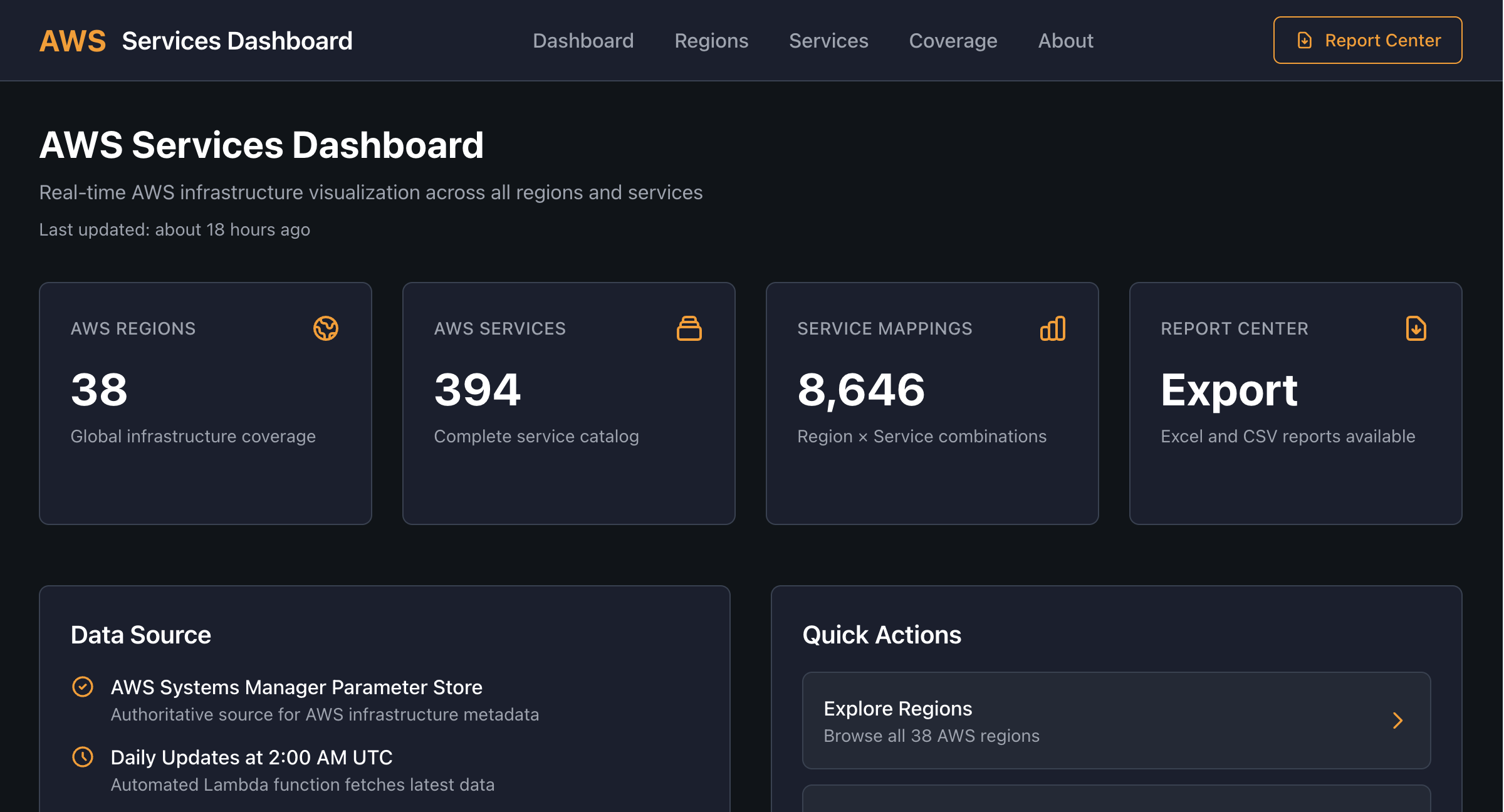
Planning a deployment in a new region? AWS Services Dashboard shows every AWS service across every AWS region, refreshed daily from AWS's own metadata, with searchable region and service pages, a full coverage matrix and one-click Excel and CSV exports.
Any modern browser · No sign-up needed
What it does for you
Every region, every service
Availability for 400+ AWS services across all AWS regions, so you can check before you design.
Updated daily from AWS
Data comes from AWS Systems Manager Parameter Store, AWS's own source of service metadata, and refreshes every day at 2:00 AM UTC.
Region and service pages
Every region and every service has its own page listing what is and isn't available, ready to bookmark or share.
Coverage matrix
A full service-by-region grid with filters, so gaps in a region you're considering stand out immediately.
Multi-term search
Search for several things at once: "lambda, s3" finds both services, "us-, ap-" finds every US and Asia Pacific region.
Excel and CSV reports
The Report Center exports a formatted Excel workbook or quick CSVs of regions, services and coverage.
Quick Start
Up and running in a couple of minutes
- 1
Open the dashboard
No sign-up needed. The home page shows region, service and coverage totals with the last update time.
https://aws-services.synepho.com - 2
Check a region
Go to Regions and search, for example "us-, eu-", then open a region to see which services it has and which it's missing.
- 3
Check a service
Go to Services and search for what you need, such as "bedrock, lambda", to see every region that supports it.
- 4
Export a report
Open the Report Center to download the Excel workbook or a CSV for your architecture review or planning doc.